Best Free and Affordable Help Desk Tools for Bootstrapped Startups
When you're bootstrapping a startup, every dollar counts. But customer support can't wait until you have a bigger budget. The good news? There are excellent help desk tools that offer free tiers or affordable pricing perfect for early-stage businesses.
In this guide, we'll explore the best free and affordable help desk solutions for bootstrapped startups, helping you move from spreadsheets to a proper ticketing system without breaking the bank.
Why Move Beyond Spreadsheets?
Many startups begin managing support requests in spreadsheets or email inboxes. While this works initially, it quickly becomes unsustainable:
- No ticket tracking: Requests get lost in email threads
- No prioritization: Everything feels urgent
- No collaboration: Team members can't see who's handling what
- No analytics: You can't measure response times or satisfaction
- No automation: Manual work wastes valuable time
A proper help desk tool solves these problems while remaining affordable for bootstrapped teams.
What to Look for in Budget-Friendly Help Desk Tools
When evaluating affordable help desk solutions, prioritize:
- Free Trial or Tier: Test before committing financially
- Transparent Pricing: No hidden fees or surprise charges
- Essential Features: Ticket management, email integration, basic automation
- Scalability: Grows with your team without massive price jumps
- Easy Setup: Quick onboarding without technical expertise
Top Free and Affordable Help Desk Tools
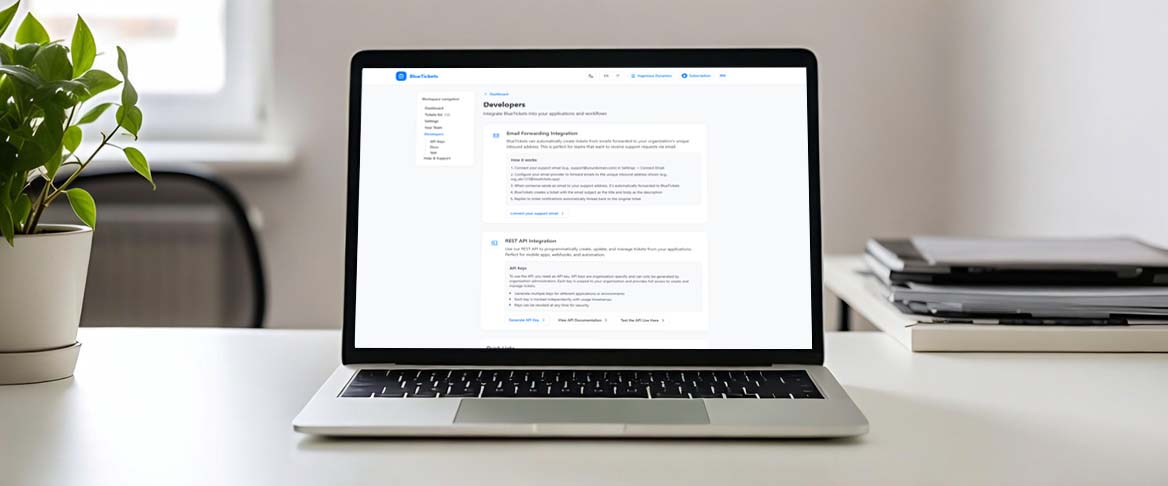
1. BlueTickets
Best for: Bootstrapped startups needing API-first solutions Pricing: 30-day free trial, then €4.99/month for small teams (Small Team plan) or €9.99/month for growing startups (Growing Startup plan) Key Features:- RESTful API for custom integrations
- Multi-channel support (email, web, API)
- Smart ticket prioritization
- No credit card required for trial
- Clean, distraction-free interface
- Generous 30-day free trial lets you fully evaluate
- Affordable €4.99/month starting price (Small Team plan)
- No per-user fees on starter plan
- Quick setup (under 30 minutes)
- Developer-friendly for technical teams
2. Freshdesk
Best for: Startups needing a feature-rich free tier Pricing: Free tier available, paid plans from $15/month per agent Key Features:- Generous free tier (up to 10 agents)
- Multi-channel support
- Basic automation and workflows
- Knowledge base included
- Mobile apps
- Completely free for small teams
- Good value when you need to upgrade
- Feature-rich even on free tier
- Limited customization
- Basic reporting only
- Freshdesk branding
3. Zoho Desk
Best for: Startups already using Zoho products Pricing: Free tier available, paid from $14/month per agent Key Features:- Free tier for up to 3 agents
- Multi-channel support
- AI-powered responses
- Integration with Zoho suite
- Customizable workflows
- Affordable pricing
- Good if you're already in Zoho ecosystem
- AI features help automate responses
- Only 3 agents
- Limited email volume
- Basic features only
4. HubSpot Service Hub
Best for: Startups using HubSpot for marketing Pricing: Free tier available, paid from $20/month Key Features:- Free tier with core features
- Integration with HubSpot CRM
- Knowledge base
- Live chat
- Customer feedback tools
- Completely free tier
- Great if using HubSpot for marketing
- Seamless CRM integration
- Limited automation
- Basic reporting
- HubSpot branding
5. Help Scout
Best for: Email-focused support teams Pricing: 15-day free trial, then $25/month per user Key Features:- Shared inbox approach
- Knowledge base
- Live chat
- Email integration
- Team collaboration
- Simple, email-focused interface
- Good for small teams
- Affordable per-user pricing
6. Tawk.to
Best for: Startups needing live chat on a budget Pricing: Completely free Key Features:- Free live chat
- Mobile apps
- Team collaboration
- Basic ticketing
- Knowledge base
- 100% free forever
- Good for live chat needs
- Easy to implement
- Basic ticketing features
- Limited automation
- Tawk.to branding
Comparison: Free vs. Affordable Paid Options
| Tool | Free Tier | Paid Starting Price | Best For |
|---|---|---|---|
| BlueTickets | 30-day trial | €4.99/month | API-first teams |
| Freshdesk | Up to 10 agents | $15/month/agent | Feature-rich needs |
| Zoho Desk | Up to 3 agents | $14/month/agent | Zoho ecosystem |
| HubSpot | Unlimited users | $20/month | Marketing teams |
| Help Scout | 15-day trial | $25/month/user | Email support |
| Tawk.to | Forever free | Free | Live chat |
Making the Transition from Spreadsheets
Moving from spreadsheets to a help desk tool doesn't have to be overwhelming. Here's a step-by-step approach:
Step 1: Choose Your Tool
- Start with free trials to test multiple options
- Consider your team size and growth plans
- Evaluate API needs if you're developer-heavy
- Check integration requirements
Step 2: Set Up Your Workspace
- Create your organization/workspace
- Add team members
- Configure basic settings
- Set up email integration
Step 3: Import Existing Data
- Export current requests from spreadsheets
- Import into your new tool (most tools support CSV import)
- Organize by priority and status
- Assign to team members
Step 4: Train Your Team
- Walk through the interface
- Show how to create and manage tickets
- Demonstrate automation features
- Set up workflows
Step 5: Go Live
- Start using the tool for new requests
- Monitor for the first week
- Gather team feedback
- Adjust workflows as needed
Tips for Maximizing Your Budget
- Start with Free Trials: Test multiple tools before committing
- Use Free Tiers When Possible: Many tools offer generous free tiers
- Avoid Per-User Pricing: Look for flat-rate or per-agent pricing
- Negotiate Annual Plans: Many tools offer discounts for annual billing
- Start Small: Begin with essential features, add more as you grow
When to Upgrade from Free Tiers
Consider upgrading when you:
- Exceed free tier limits (agents, tickets, etc.)
- Need advanced automation
- Require custom branding
- Need better analytics and reporting
- Want priority support
Conclusion
Bootstrapped startups don't have to sacrifice quality customer support due to budget constraints. Tools like BlueTickets offer generous free trials and affordable pricing (starting at €4.99/month) that make professional help desk functionality accessible to early-stage businesses.
The key is to start with a free trial, evaluate thoroughly, and choose a tool that scales with your growth. Remember: investing in proper customer support tools early pays dividends as your startup grows.
Ready to move beyond spreadsheets? Start your free 30-day trial of BlueTickets - no credit card required, and you'll be up and running in under 30 minutes.
This article was last updated in January 2026. Pricing and features may have changed since publication.