The Ultimate Guide to Multi-Channel Customer Support for Growing Businesses
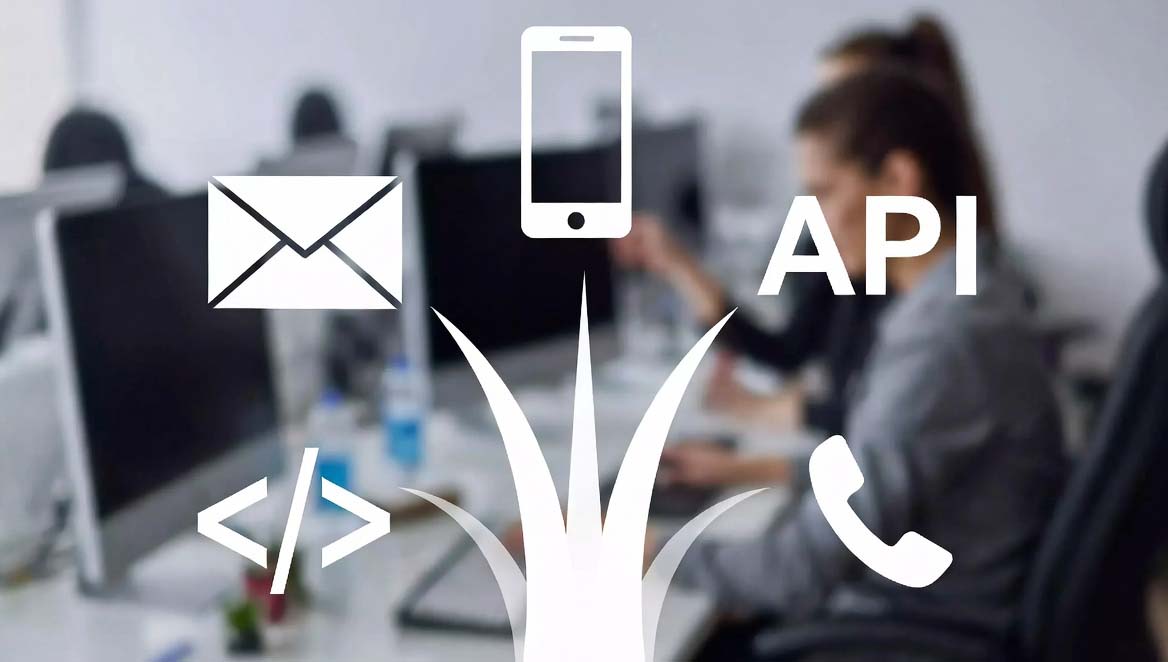
Today's customers expect to reach you through their preferred channel—whether that's email, your website, or your mobile app. Managing all these channels separately is a recipe for chaos. The solution? Multi-channel customer support that centralizes everything into one unified ticketing system.
In this comprehensive guide, we'll explore how to integrate multiple support channels, centralize your customer communications, and use analytics to improve your support operations.
Why Multi-Channel Support Matters
Modern customers are channel-agnostic. They'll use whatever method is most convenient:
- Email: Traditional, familiar, works everywhere
- Web Forms: Easy for customers, captures structured data
- Mobile Apps: Growing channel, especially for SaaS products
- API Integration: Programmatic ticket creation from your applications
- Duplicate tickets
- Lost conversations
- Inconsistent responses
- Poor visibility
- Wasted time switching between tools
- Centralizes all conversations
- Provides single customer view
- Enables consistent responses
- Offers complete visibility
- Saves time and reduces errors
Understanding Multi-Channel Support Architecture
A well-designed multi-channel support system has three key components:
1. Channel Integration Layer
Connects all your support channels (email, web, API, etc.) to a central system.
2. Unified Ticket Management
All conversations become tickets in one system, regardless of origin.
3. Analytics and Reporting
Track performance across all channels to identify trends and opportunities.
Setting Up Multi-Channel Support
Channel 1: Email Integration
Email remains the most common support channel. Here's how to integrate it:
Step 1: Configure Inbound Email1. Set up support email (e.g., [email protected])
- Configure email forwarding to your help desk
- Verify DNS records (SPF, DKIM, DMARC)
- Test email delivery
- Acknowledgment emails
- Status update emails
- Resolution confirmations
- Follow-up emails
- Ensure replies thread correctly
- Link related emails to same ticket
- Handle email attachments
- Familiar channel for customers
- Works with any email client
- Supports attachments
- Asynchronous communication
Channel 2: Web Form Integration
Web forms capture structured data and are easy for customers to use:
Step 1: Create Support Form<form action="/api/tickets" method="POST">
<input type="email" name="email" required> <input type="text" name="subject" required> <textarea name="message" required></textarea> <select name="priority"> <option value="low">Low</option> <option value="medium">Medium</option> <option value="high">High</option> </select> <button type="submit">Submit</button> </form>
// Submit form to help desk API
const response = await fetch('https://api.bluetickets.app/tickets', { method: 'POST', headers: { 'Authorization': 'Bearer YOURAPIKEY', 'Content-Type': 'application/json' }, body: JSON.stringify({ title: formData.subject, body: formData.message, requesterEmail: formData.email, priority: formData.priority, source: 'web' }) });
- Embed on support page
- Add to footer
- Create dedicated contact page
- Include in mobile app
- Structured data capture
- Easy to customize
- Mobile-friendly
- Can include file uploads
Channel 3: API Integration
API integration allows you to create tickets programmatically from your applications:
Use Cases:- Mobile app support requests
- In-app help buttons
- Automated error reporting
- Integration with other tools
// Create ticket from mobile app
async function createSupportTicket(userEmail, issue) { const response = await fetch('https://api.bluetickets.app/tickets', { method: 'POST', headers: { 'Authorization': Bearer ${API_KEY}, 'Content-Type': 'application/json' }, body: JSON.stringify({ title: Support Request from ${userEmail}, body: issue.description, requesterEmail: userEmail, priority: issue.urgent ? 2 : 0, source: 'app', metadata: { appVersion: issue.appVersion, deviceInfo: issue.deviceInfo, screenshot: issue.screenshot } }) });
return await response.json(); }
- Full control over ticket creation
- Can include rich metadata
- Works with any platform
- Enables automation
Channel 4: API Integration for External Systems
While webhooks are planned for future releases, you can integrate BlueTickets with external systems using the API:
Use Cases:- Update CRM when ticket created (via API polling)
- Notify Slack channel of urgent tickets (via API polling)
- Update internal dashboard (via API polling)
- Trigger automated workflows (via API polling)
// Poll for new tickets and sync with CRM
async function syncTicketsWithCRM() { const response = await fetch('https://api.bluetickets.app/tickets?status=pending', { headers: { 'Authorization': Bearer ${process.env.BLUETICKETSAPIKEY} } });
const data = await response.json();
for (const ticket of data.tickets) { // Update CRM await updateCRM(ticket.requesterEmail, { lastSupportContact: ticket.createdAt, openTickets: ticket.id });
// Notify Slack for urgent tickets if (ticket.priority === 2) { await notifySlack(Urgent ticket #${ticket.id}: ${ticket.title}); } } }
// Poll every 30 seconds setInterval(syncTicketsWithCRM, 30000);
Centralizing Multi-Channel Support
Once you've integrated all channels, centralize them in one system:
Unified Customer View
Every customer interaction should be visible in one place:
- Ticket History: All past tickets from all channels
- Customer Profile: Contact information, preferences, history
- Context: Previous interactions, notes, tags
- Status: Current open tickets, SLA status
Cross-Channel Threading
Link related conversations across channels:
- Email reply to web form ticket
- API-created ticket linked to email thread
- Social media mention connected to ticket
Consistent Responses
Ensure consistent quality across all channels:
- Tone: Maintain brand voice
- Information: Same accuracy everywhere
- Speed: Meet SLAs regardless of channel
- Resolution: Same quality outcomes
Analytics and Metrics
Track performance across all channels to identify trends:
Key Metrics to Track
Volume Metrics:- Tickets per channel
- Peak times per channel
- Channel growth trends
- Average response time by channel
- Resolution time by channel
- First contact resolution rate
- Customer satisfaction by channel
- Escalation rate by channel
- Reopen rate by channel
Channel Performance Dashboard
Create a dashboard showing:
┌─────────────────────────────────────┐
│ Multi-Channel Support Dashboard    │ ├─────────────────────────────────────┤ │ Channel    │ Volume │ Avg Response │ ├────────────┼────────┼──────────────┤ │ Email      │  450   │    2.5 hrs   │ │ Web Form   │  120   │    1.2 hrs   │ │ API        │   80   │    0.5 hrs   │ └─────────────────────────────────────┘
Identifying Trends
Use analytics to identify:
- Channel Preferences: Which channels do customers prefer?
- Peak Times: When is each channel busiest?
- Performance Gaps: Which channels need improvement?
- Growth Opportunities: Where should you invest?
Best Practices for Multi-Channel Support
1. Start with Core Channels
Don't try to support every channel immediately:
- Start with email and web forms
- Add API integration as needed
- Expand to other channels gradually
2. Maintain Channel Consistency
Ensure same quality across all channels:
- Same response times
- Same resolution quality
- Same brand voice
3. Train Your Team
Ensure team understands:
- How each channel works
- When to use which channel
- How to maintain consistency
4. Monitor and Optimize
Regularly review:
- Channel performance
- Customer preferences
- Team feedback
- Cost per channel
5. Use Automation Wisely
Automate where it makes sense:
- Auto-responses for common questions
- Routing based on channel
- Escalation rules
Common Challenges and Solutions
Challenge 1: Channel Overload
Problem: Too many channels, not enough resources Solution:- Prioritize channels by volume and importance
- Use automation to handle routine requests
- Set clear SLAs per channel
Challenge 2: Inconsistent Responses
Problem: Different quality across channels Solution:- Create response templates
- Train team on brand voice
- Regular quality reviews
Challenge 3: Lost Conversations
Problem: Tickets get lost between channels Solution:- Centralize everything in one system
- Use proper threading
- Implement escalation rules
Challenge 4: Analytics Complexity
Problem: Hard to track performance across channels Solution:- Use unified analytics dashboard
- Standardize metrics
- Regular reporting
Real-World Examples
Example 1: SaaS Startup
Channels: Email, Web Form, API, Mobile App Setup:- Email forwarding for [email protected]
- Web form on support page
- API integration in mobile app
- All channels feed into BlueTickets
- 70% of tickets via email
- 20% via web form
- 10% via API/mobile app
- Unified view of all customer interactions
Example 2: E-commerce Business
Channels: Email, Web Form, API Setup:- Email for order inquiries
- Web form for general support
- API integration for order-related tickets from e-commerce platform
- All centralized in help desk
- Faster response times
- Better ticket organization
- Improved customer satisfaction
Tools for Multi-Channel Support
When choosing a help desk tool, look for:
- Multiple Channel Support: Email, web, API, etc.
- Unified Interface: One place for all tickets
- Cross-Channel Threading: Link related conversations
- Analytics: Track performance across channels
- API Access: Integrate with your tools
- Automation: Route and respond automatically (via web interface)
Conclusion
Multi-channel customer support is essential for growing businesses. By centralizing all customer communications into one unified system, you can provide better service, maintain consistency, and gain valuable insights into customer behavior.
The key is to start with your most important channels, integrate them properly, and gradually expand as your business grows. Tools like BlueTickets make it easy to integrate multiple channels while maintaining a unified view of all customer interactions.
Ready to centralize your multi-channel support? Start your free 30-day trial of BlueTickets and integrate all your support channels in one place.
This article was last updated in February 2026. Features and capabilities may have changed since publication.